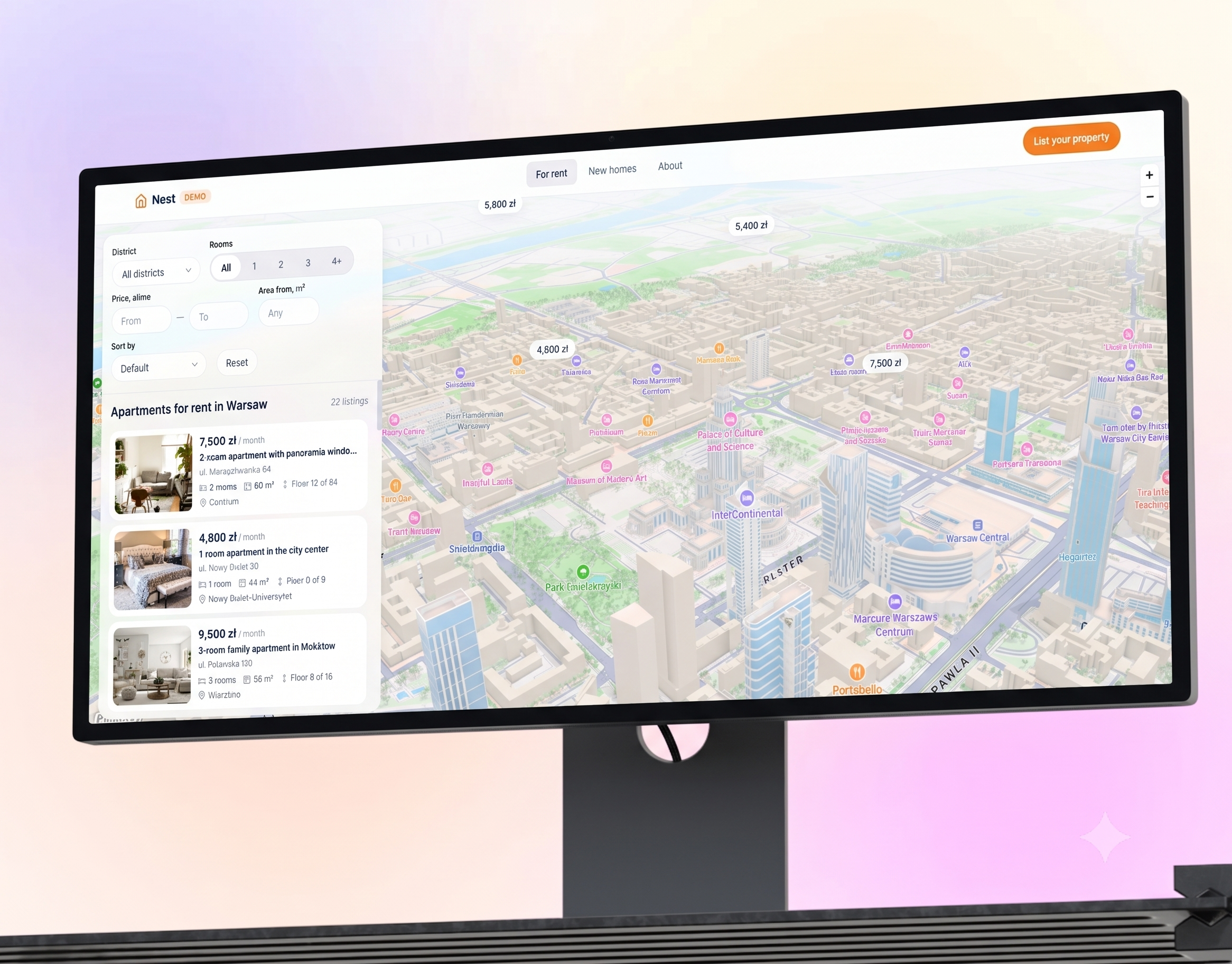
Data has scattered across spreadsheets
Orders sit in Excel, decisions in a chat thread, invoices in an inbox, and nobody sees the whole picture. You rebuild one report by hand — every Monday morning.
SaaS platforms, customer portals, admin panels and internal tools. React and TypeScript on the front end, a backend chosen for the product scale, deployed on your own infrastructure. We build the system around your process, not your process around somebody else’s template.

Orders sit in Excel, decisions in a chat thread, invoices in an inbox, and nobody sees the whole picture. You rebuild one report by hand — every Monday morning.
The tool does almost everything, but not one step of your process, and every seat raises the bill. Licence pricing decides who gets an account — not the role.
The first version ran on ready-made blocks and worked, until the client list began taking ten seconds to load. Plan limits block the export — your data stays put.
Entity schema, relationships and a growth plan for the database
Dashboard, tables, forms, filters and report views
Business logic, validation, background jobs and a public API
Password or Google sign-in, permission levels, plan-based limits
Stripe, email, SMS, maps and partner APIs
Staging and production environments, backups, logs and alerts
We map who uses the system, what data goes in and what has to come out. We walk an ordinary week through with you: where an order starts, who approves it, which spreadsheet it ends up in. We agree the scope of the first version and what is deliberately left for later.
We set the database schema, roles and permissions and the API contract, then pick a backend and hosting for the traffic you expect. Before the first screen exists, it is clear where the data sits, who can reach it and how it grows. A bad schema is the most expensive mistake in a project — and the hardest to fix after launch.
We design the screens and a clickable prototype of the key journeys: list, filters, form, report view, empty and error states. You approve the prototype before the first line of code. Changing the layout costs hours then; after the code is written it costs weeks.
We build the front end, backend, API, integrations and admin panel, feature by feature, in the order we agreed. Every week we show a working build on staging together with a list of what landed. You raise comments during the work rather than at handover.
We test the user journeys for every role, behaviour under load, restoring from a backup and the alerts. We migrate data from spreadsheets or your current system, take production live and hand over access, documentation and test accounts.
We keep the system moving after launch: fixes, new features, infrastructure scaling and dependency updates. Once a month you get a summary of the work and the state of the hours budget. Scope and response times are set in a separate monthly agreement.
A ready-made tool wins at the start: you have it today and you build nothing. The difference only shows up when your process stops fitting inside somebody else’s template and the team grows.
| Off-the-shelf SaaS subscription | Custom-built software | |
|---|---|---|
| Fit to your process | The vendor template, missing steps worked around by hand | Your process, including the exceptions nobody else has |
| Time to start | The same day: an account, a template, ready-made screens | A first working version in 3–5 weeks once scope is agreed |
| Who decides what gets built next | Vendor priorities and a wish list from every customer | Your order of work, a change in the next cycle |
| Per-user fees | A bill that grows with every seat and every account | No per-seat fee, cost tied to traffic and data volume |
| Where the data lives | Vendor servers, export in their format and their scope | Your database on your hosting, export with no intermediary |
| Integrations | Only the vendor catalogue, or a connector such as Zapier | Any system with an API: payments, email, SMS, ERP |
| Code ownership | Rented access for the length of the subscription | Repository, documentation and access on your side |
Not every process deserves its own code. Three situations where we talk clients out of a build — it is cheaper to say this now than after the contract is signed.
Accounting, newsletters, e-signatures, a simple shop. If you do exactly what everybody else does, an off-the-shelf tool will do it cheaper and better than we would. Custom code earns its keep where the process is your advantage, not where it duplicates a standard procedure.
At a handful of seats, a subscription rarely catches up with the cost of a build within a sensible horizon, and your own system also needs maintaining. Come back on the day you turn someone down for an account purely because of licence prices.
If you do not yet know what it looks like in six months, put it in order in a spreadsheet first and work that way for a few weeks. Coding an unstable process is the most expensive way to document it — every change comes back as a rebuild.
The amount of work behind it. A website presents content; a web app has accounts, roles, its own database and operations that change the state of the system — a booking, a payment, a document.
After scope analysis, together with a timeline and acceptance criteria. The figure rises with extra roles, screens in the panel, integrations with the systems you already run, and data migration. Support is quoted separately.
When the process is your advantage. The ready-made tool does not handle it, the team works around the gap by hand, and the bill grows with every seat. With a standard process, off-the-shelf wins.
Yes. We connect payments and subscriptions on Stripe, Google sign-in, Mapbox maps and SMS. One condition: the other side has an API.
On your own cloud account. The domain, database and services are registered to your company, not ours. Maintenance can stay with us on a monthly agreement, or move to your own administrator.
Yes. You receive the repository with its commit history, architecture documentation, the database schema, an API reference and all access credentials. We use no closed licences or in-house libraries.